

 See My Latest Article on HelloNation
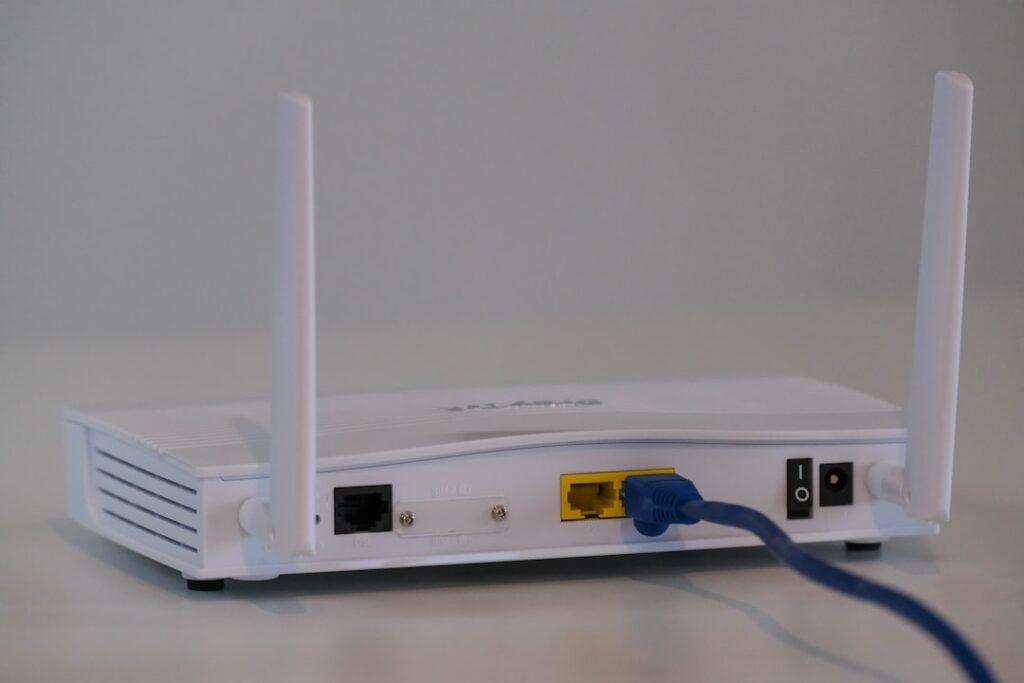
What Is the Practical Difference Between Wi-Fi and Ethernet?
Wi-Fi and Ethernet are the two primary ways local residents connect devices to the internet at home, but they work very differently. Wi-Fi uses wireless signals to link devices, while Ethernet relies on physical cables. Both have pros and cons, and the right choice depends on how you use the internet in your home, your living setup, and your specific needs for speed, security, and convenience.
How Does Wi-Fi Work?
Wi-Fi connects your devices to the internet without cables, using radio signals transmitted from a router. Devices like laptops, tablets, smartphones, and smart home gadgets receive these signals and transmit data back through the air.
Most homes in Marietta rely on Wi-Fi for flexibility and coverage throughout the house, given a wide range of housing styles from apartments to multi-level homes and older buildings with thick walls.
- Wi-Fi signals can be affected by physical barriers—walls, floors, metal, and even large appliances.
- The further you are from the router, the weaker the signal may become.
- Home Wi-Fi networks generally use the 2.4 GHz and 5 GHz frequency bands, each with its own balance of speed and coverage.
What Is Ethernet and How Is It Used in Homes?
Ethernet uses physical cables (sometimes called network cables or LAN cables) to connect your device directly to the internet router or a wall jack that leads to your home network. Ethernet connections are common in home offices, living rooms, or gaming setups where consistent speed matters most.
Area households sometimes use Ethernet for:
- Desktop computers and gaming consoles that need stable, fast connections
- Streaming devices for uninterrupted high-definition video
- Home offices, especially for video calls or large uploads
Running Ethernet cables may require some planning, especially in older or larger homes, or where wireless signals struggle to reach certain rooms due to insulation or interior brick.
Which Is Faster: Wi-Fi or Ethernet?
Ethernet is typically faster and more reliable than Wi-Fi, especially for single devices. Because the signal travels directly through a cable, it isn’t subject to interference from other wireless signals, thick walls, or household electronics.
Wi-Fi speeds in area homes can vary depending on:
- The quality and location of the router
- The number of devices connected at the same time
- Potential interference from neighbors or other household electronics
Local residents often notice that streaming or transferring large files feels quicker on Ethernet than Wi-Fi, even if both are connected to the same internet plan.
How Do Security and Privacy Compare?
Ethernet offers a higher level of security by default—data only travels along the cable, so someone would need physical access to the line to intercept it. This makes it well-suited for sensitive information, such as work-from-home files or private records.
Wi-Fi, because it is wireless, can be accessed within the signal range of the router. Most modern Wi-Fi routers use security features like WPA3 encryption and strong passwords, but risks can increase if a network is left unsecured or uses outdated technology.
When Does Wi-Fi Perform Worse Indoors?
Wi-Fi struggles in certain Marietta homes, especially older homes built with thick plaster, brick, or stone, or those with sprawling layouts. Interference comes from:
- Block walls, metal plumbing, or floors between levels
- Microwaves, cordless phones, or baby monitors using similar frequencies
- Dense clusters of wireless networks in apartments or townhouses

In those areas, signals may drop off or speeds may lag in distant rooms. Ethernet, in contrast, maintains full speed as long as the cable is plugged in.
Do You Need Ethernet If Wi-Fi Already Works?
For general web browsing, streaming, and smart devices, Wi-Fi alone is enough for most people. However, if you notice:
- Video calls freezing in certain rooms
- Online games lagging or disconnecting
- Large uploads taking too long
it may be worth running an Ethernet cable to that specific room, especially for work-from-home offices, competitive gaming, or media equipment.
Some households use both: wireless coverage for everyday mobile use, and Ethernet where reliable speed matters most.
Are There Hybrid Solutions?
Many residents use both types as part of their home network. For example:
- Connect TVs, desktop computers, or gaming consoles with Ethernet for steady speeds.
- Use Wi-Fi for smartphones, tablets, and portable laptops throughout the home.
- Use adapters for devices that lack built-in Ethernet ports.
Powerline adapters, which use your home’s electrical wiring to transmit data, can also serve as a middle ground in places where running long cables isn’t feasible.
What Are Common Misconceptions?
A few myths sometimes cause confusion among local residents:
- Wi-Fi isn’t always slower than Ethernet: Newer Wi-Fi standards can be very fast, especially in open spaces with a good router.
- Ethernet can be used even in rental apartments: Cables can often be run discreetly along walls or under carpets—always check your lease for guidelines before making any modifications.
- Adding more Wi-Fi routers or extenders can’t always fix dead zones: Sometimes material barriers or interference require a wired solution.
Understanding the strengths and weaknesses of both options can help local households make the most of their home internet setup, especially with remote work and high-speed streaming now common in the community.