

 See My Latest Article on HelloNation
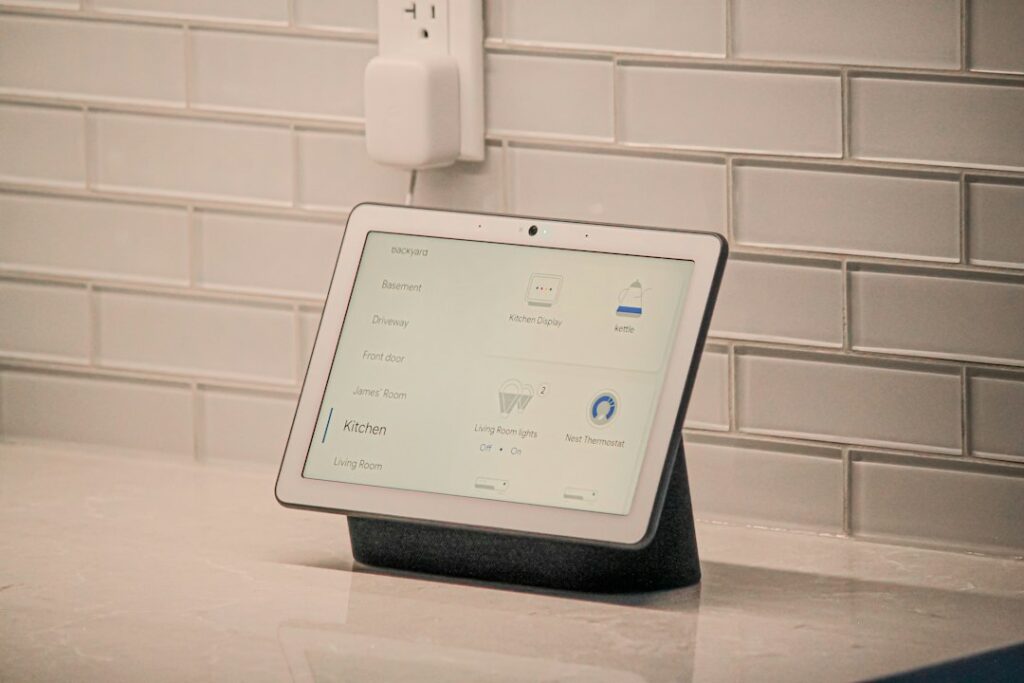
Smart home technology connects household devices to a home network so they can be monitored, scheduled, or controlled through an app, voice command, sensor, or automated rule. For residents of Marietta, GA, the most useful starting point is not buying the most devices. It is understanding how connected equipment works, what information it collects, and whether it will work reliably in the home.
What qualifies as a smart home device?
A smart home device can communicate over a network and respond to information from a person, schedule, sensor, or online service. Common examples include:
- Smart thermostats that adjust heating and cooling based on schedules or occupancy
- Lighting controls that can be programmed or operated remotely
- Door and window sensors that report whether an entry point is open
- Video doorbells and security cameras
- Smart locks and garage controls
- Leak detectors and smoke or carbon monoxide alarms
- Plugs that turn ordinary lamps or appliances into connected devices
A connected device is not automatically useful simply because it has an app. The practical value comes from reducing routine tasks, providing timely information, or helping residents understand conditions inside the home.
How does smart home technology communicate?
Most devices use a combination of wireless networking, short-range communication, and cloud services. A home network usually includes an internet connection, a router, and wireless access throughout the house. Smart devices connect to that network or communicate with a central hub.
The main connection types have different strengths:
- Wi-Fi: Useful for cameras, thermostats, speakers, and other devices that need more data. It can place additional demands on the wireless network.
- Bluetooth: Common for nearby setup and short-range control. It generally does not provide whole-home coverage by itself.
- Low-power mesh networks: Designed for sensors, switches, and other devices that send small amounts of information. Devices may help pass signals through the home.
- Matter-compatible connections: Matter is a device-interoperability standard intended to make supported equipment work more consistently across different smart home platforms.
The internet is not always required for every local function. Some devices can communicate within the home even if the outside internet connection is unavailable. However, remote access, notifications, voice assistants, cloud video storage, and certain automations may stop working during an outage.
Does a smart home require fast internet?
Smart home equipment needs a stable network more than it needs extremely high download speeds. A thermostat or door sensor typically uses very little bandwidth. Cameras, video doorbells, televisions, and other streaming devices create much more traffic.
A reliable setup usually depends on:
- Strong wireless coverage in the rooms where devices are installed
- A router that can handle the number of connected devices in the household
- Proper placement of the router or wireless access points
- Separate consideration for garages, porches, basements, detached structures, and thick interior walls
- A backup plan for devices that are needed during an internet outage
Homes with multiple levels, additions, masonry walls, or large outdoor areas may have uneven wireless coverage. A device that works well during setup may become unreliable if its signal is weak or if the network is crowded.
What should residents automate first?
The most useful first automation is usually one that solves a repeated, specific problem. Examples include scheduling lights to reduce unnecessary operation, receiving a leak alert near a water heater, or creating a thermostat schedule that reflects work and school routines.
A practical starting point may include:
1. A connected thermostat for scheduled temperature changes and basic energy monitoring.
2. A few smart plugs or switches for lamps and frequently used equipment.
3. Water-leak sensors near plumbing fixtures, laundry equipment, and other vulnerable areas.
4. Door or window sensors where an open entry point could create a security or weather concern.
5. A single control app or compatible platform rather than several unrelated systems.
In homes with hot, humid summers and occasional severe weather, leak detection, temperature monitoring, and alerts about power or network interruptions may be more useful than complicated entertainment features.
Are smart home devices secure?
Smart home devices can create security and privacy risks, but careful setup reduces many common problems. Each connected device adds another account, software system, or network connection that needs attention.
Good basic practices include:
- Use a different, strong password for every device account.
- Turn on multifactor authentication when it is available.
- Install firmware and app updates promptly.
- Replace default administrator passwords.
- Review which family members or guests have access.
- Disable features that are not needed, such as unnecessary remote access.
- Put less-trusted devices on a separate guest or smart-device network when the router supports it.
- Avoid placing indoor cameras in bedrooms, bathrooms, or other highly private areas.

Privacy settings deserve the same attention as security settings. A device may collect audio, video, location information, usage patterns, or occupancy data. Before installation, review what information is collected, where it is stored, how long it is retained, and whether recordings can be deleted.
What happens if the internet or power goes out?
A smart home does not eliminate the effects of outages. Battery-powered sensors may continue recording, while internet-dependent services may stop sending notifications or accepting remote commands.
Residents should check each device for:
- Battery life and low-battery alerts
- Manual controls that still work without an app
- Local operation during an internet outage
- Whether a hub requires backup power
- Whether cameras record locally or only to an online account
- How the device behaves after power is restored
For essential functions, traditional controls should remain available. A physical key, manual light switch, mechanical water shutoff, or direct thermostat control can be more dependable than an app during a disruption.
Can smart devices from different manufacturers work together?
Sometimes, but compatibility should be checked before purchase. Devices may use different apps, communication methods, account systems, and automation rules. A product can be described as “smart” yet still operate as an isolated device.
Matter is intended to improve compatibility among supported products, but support can vary by device, software version, and controller. Compatibility labels should not be treated as a guarantee that every feature will work across every platform.
A simpler system with fewer apps is often easier to maintain. Before adding a device, consider whether it can join the existing network, whether it supports the desired control method, and what happens if its manufacturer stops updating the product.
What should renters and homeowners consider?
Homeowners generally have more freedom to replace switches, install cameras, or modify wiring. Renters may need permission before mounting equipment, changing fixtures, installing smart locks, or placing devices on shared building infrastructure.
Regardless of housing type, avoid installing equipment where it could interfere with electrical systems, fire safety equipment, door operation, or plumbing access. Hardwired installations and work near electrical panels may require appropriate safety knowledge or compliance with applicable requirements.
The best smart home is not the one with the most devices. It is a system that remains understandable, secure, useful during ordinary routines, and manageable when an app, network connection, battery, or cloud service does not work as expected.